


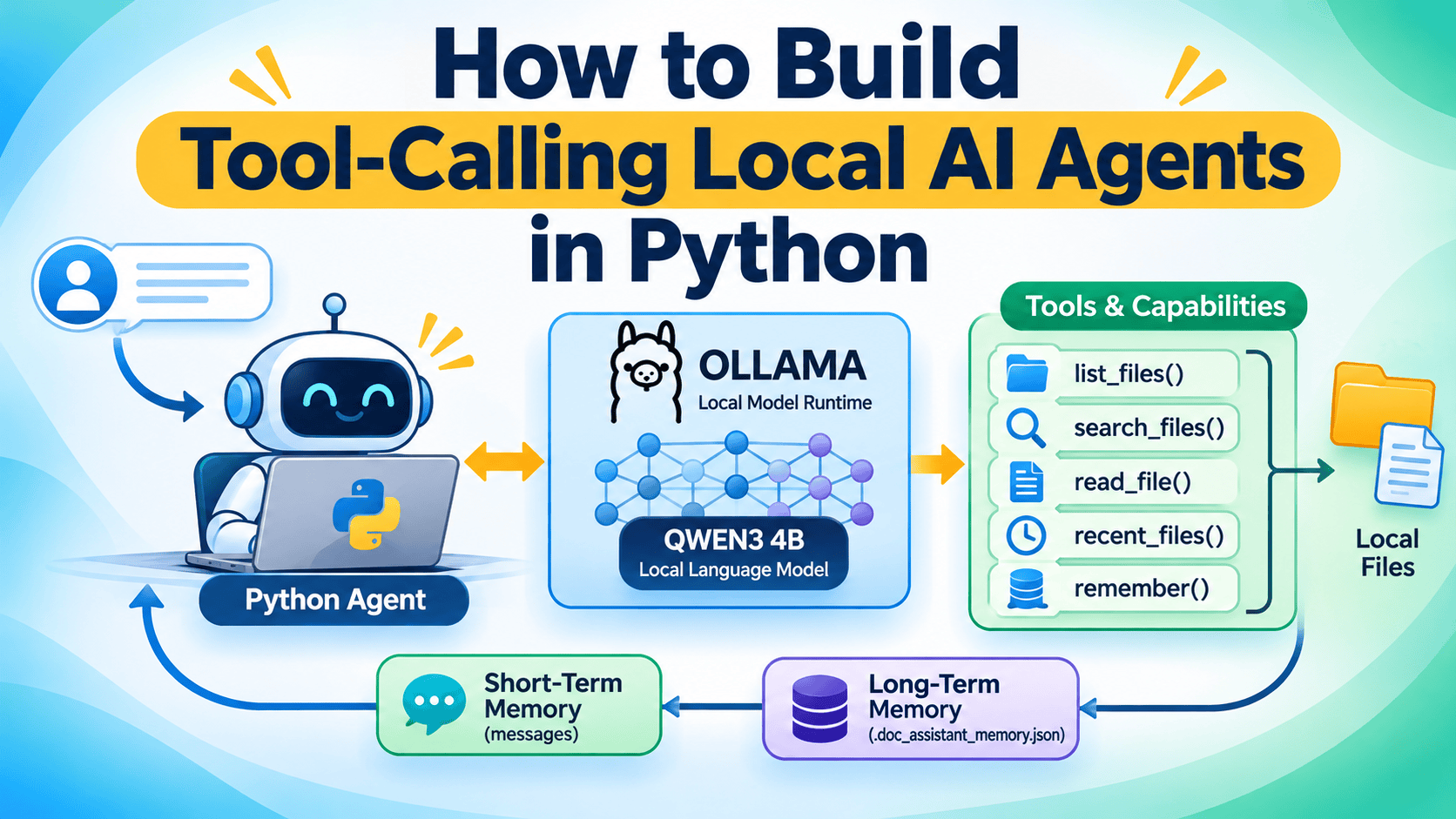
Ollama Labs’ newest release demonstrates how to create a local AI agent that can retrieve and understand information within a specific project folder. This recent development highlights the growing trend towards self-contained AI solutions, particularly for professionals and teams working with artificial intelligence. The successful development relies on efficient use of resources, control over data, and the creation of a responsive, adaptable system. This is important for ODEFTO LABS customers because it shows the practical uses of their tools and demonstrates a simple way to work. For competitors, this technology presents a challenge, forcing them to consider the advantages of local deployment and control. The potential is significant; reduced reliance on external APIs translates to lower costs and better data security. The ability to build and test these agents locally also opens up opportunities for rapid experimentation and customized solutions.
Here are three practical actions you can take this month to expand your capabilities:
Begin with a Familiar Project: Immediately begin testing the agent on a project similar in structure and files to the ones you typically work with. This initial trial will allow you to assess the tool’s accuracy, identify potential areas for improvement in the tool definitions, and establish a baseline for performance. Record the prompts you use and the responses you receive to document the agent’s behavior.
Adjust the Context Length Setting: Carefully adjust the context length setting within the Ollama interface. The article recommends at least 64K tokens, but starting with 32K and carefully monitoring memory usage is a sensible approach. Experiment with this setting and observe its impact.
The last section was written with AI help from the abstract only.
Source: Machine Learning Mastery — Read the full article on the original site ↗
Get the best of this topic in your inbox
Join the newsletter. A short, useful digest, no spam.